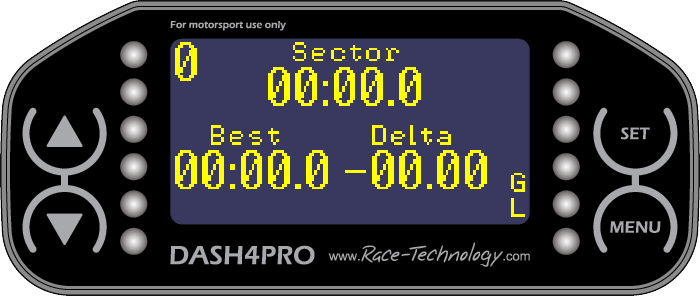
Design preview
The Design preview displays a preview of the design area.
Design preview with screen 2 selected
Design preview with sector screen selected
You can change preview size by selecting the ratio from the Options window (View -> Options).
Changing the ratio will change the preview size as a percentage of the actual display size (100%, 200%, 300%, and 400%)
 My basket |
Checkout |
Add to email list
My basket |
Checkout |
Add to email list




 Edit
Edit History
 Print
Print Download (.HTML)
 PDF
PDF