Configuring DASH2PRO unit using a saved configuration file
1. Connect the DASH2 unit to the PC via the USB connector on the wiring harness.
2. Power up the dash from +12V & GND.
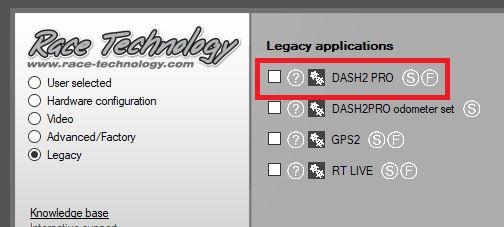
3. Open the DASH2 PRO config software from the program launcher:
4. Select the Load saved configuration option:
5. Load a configuratin file using the file open dialog (Note: select "CMG" as the file type)
6. Now open the drop down list in the bottom left under communications and select the correct communications port.
7. Click Send Configuration.
8. The new config will be sent to the unit, after it has finished, disconnect the USB connector from the PC and re-test the system.
 My basket |
Checkout |
Add to email list
My basket |
Checkout |
Add to email list




 Edit
Edit History
 Print
Print Download (.HTML)
 PDF
PDF