<< Back to CAN configuration
RAW CAN reception
The RAW CAN reception option on the DL1 FD/DL2 FD logs ALL of the data on the CAN bus, irrespective of what the message length, ID length, address or data values are. This data can then be analysed in the Analysis software on a PC. The data cannot be displayed on a DASH product as it is not decoded. The feature can also be used to convert CAN data to RS232 data. For the reception to work the bit rate must be set correctly.
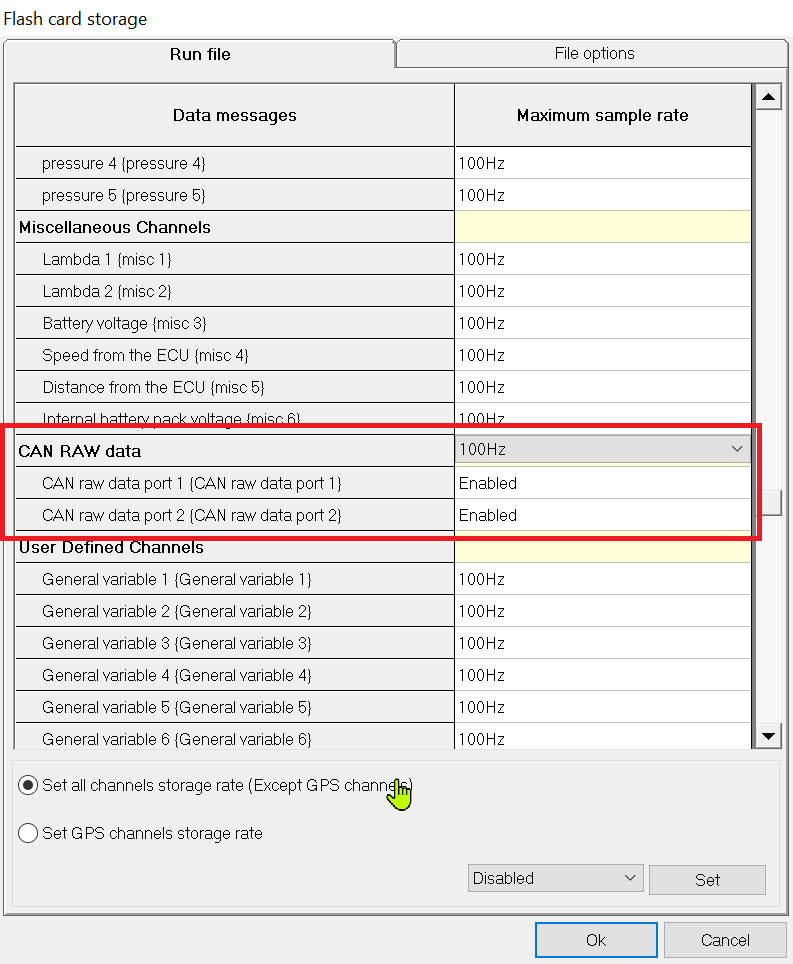
Storing RAW CAN data on the SD card.
In the Flash card storage screen of the configuration software, enable the CAN RAW data options to turn storage on; this is disabled by default.
Sending RAW CAN data to the serial port
To transmit the RAW CAN data on the serial port enable the option at the bottom of the 'Output serial data screen'. Note that it is very easy to overrun the serial port on the data logger as the CAN port can run much faster than the serial port, this should only be used for debugging and is turned off by default.
 My basket |
Checkout |
Add to email list
My basket |
Checkout |
Add to email list




 Edit
Edit History
 Print
Print Download (.HTML)
 PDF
PDF