Check license status of CAN data receive
DASH2 PRO requires Race Technology CAN Input license to receive CAN data.
To check the list of available licenses, please follow the steps below:
1. Connect the DASH2 unit to the PC and power up the unit.
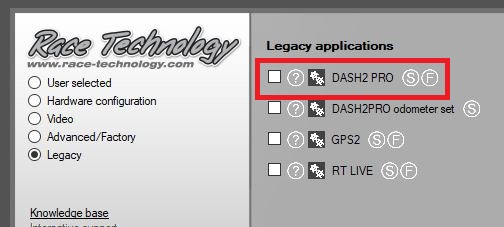
2. Open the DASH2 PRO config tool:
3. Select the correct communication port and click Read Configuration:
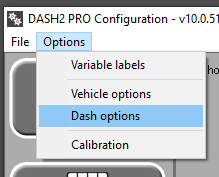
4. Go to Options > Dash options:
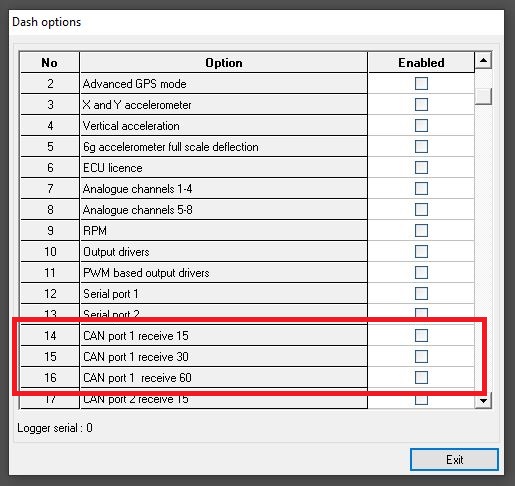
5. Check is one of the following CAN licenses are enabled:
 My basket |
Checkout |
Add to email list
My basket |
Checkout |
Add to email list




 Edit
Edit History
 Print
Print Download (.HTML)
 PDF
PDF