<< Previous, Output Drivers
Output Serial data
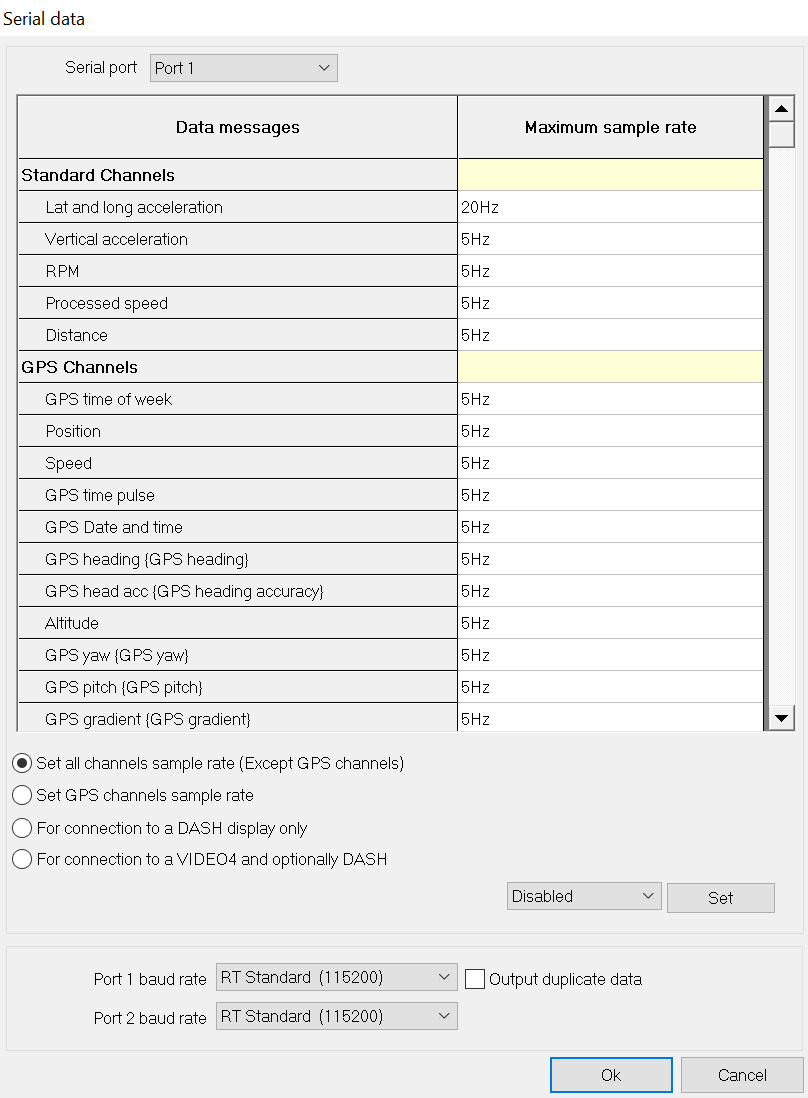
The serial output port of the DL1 FD/DL2 FD is designed for sending data either to a dashboard, such as a DASH2 or DASH3, to stream the data to a PC, or to send it to a video recorder for logging alongside video footage, such as on the VIDEO4.
The output frequencies are set by clicking on the Output Serial Data tab.
For the majority of applications, it is sufficient to click on the button for connection to a display and click Set, or to click on the option for connection to a VIDEO4.
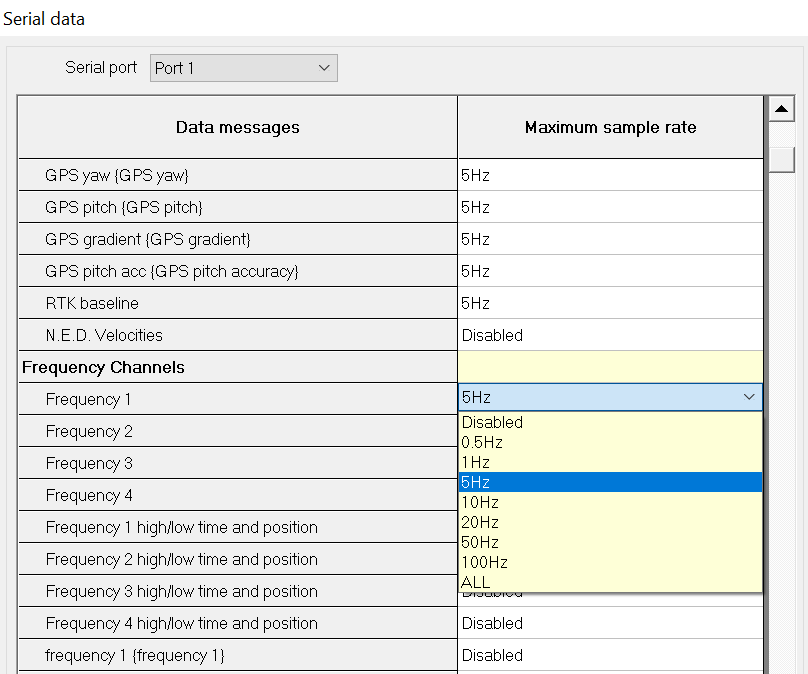
If there is a specialist requirement to change certain channels (for example when RPM data isn’t needed because the DASH2 has an RPM input) each channel can be selected by clicking on the box at the side and then using the drop down list to select the rate:
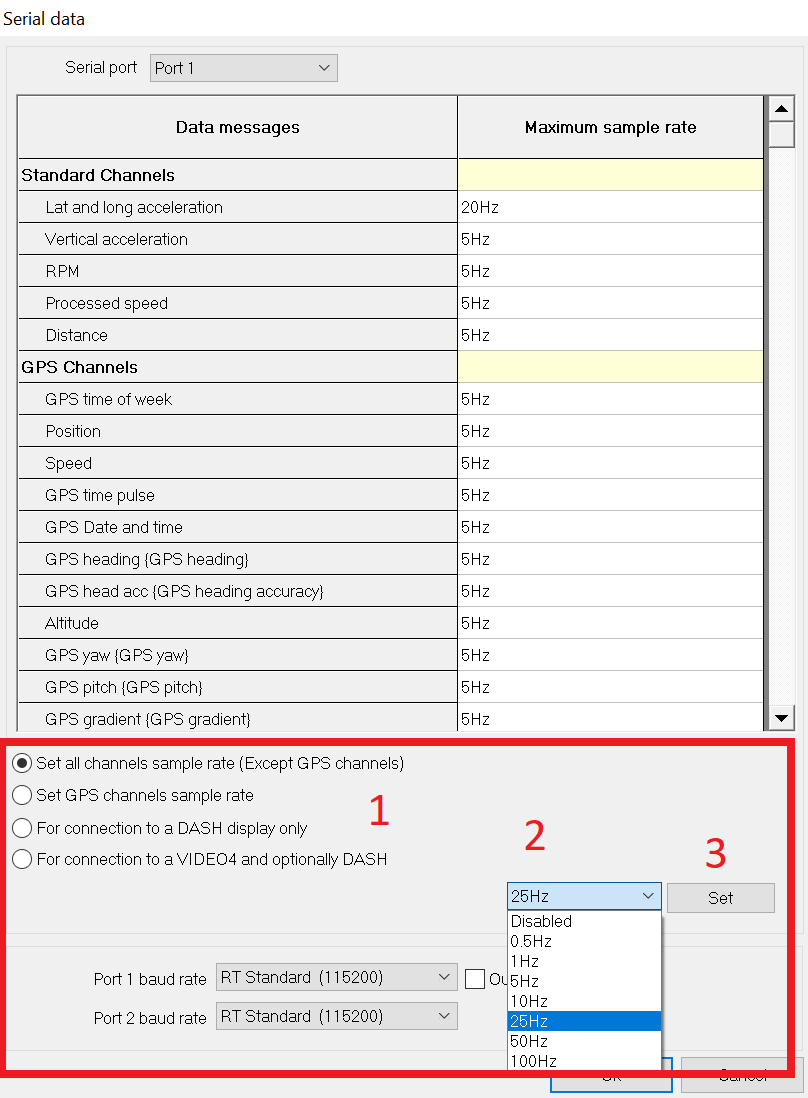
Setting a rate for multiple channels.
It is possible to set the rate for multiple channels at once.
1. First select the option you require.
2. Select the speed from the drop down list.
3. Click on Set.
Next >> Flash card storage
 My basket |
Checkout |
Add to email list
My basket |
Checkout |
Add to email list




 Edit
Edit History
 Print
Print Download (.HTML)
 PDF
PDF