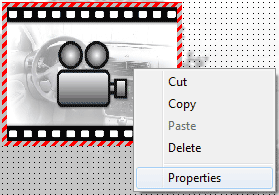
Editing a control in the design area
To edit the properties of a control, you should first right click on a control in the design area to bring up its context menu. The ‘properties form’ can be accessed by clicking on ‘Properties’ in the context menu.
Alternatively you can select a control in the design area and click the ‘Properties’ button in the toolbar to view or edit the properties of the selected control.
Since the editable properties of each control are different, each control type has a different ‘properties form’. For more information on the properties form of each control go to the following links;
 My basket |
Checkout |
Add to email list
My basket |
Checkout |
Add to email list




 Edit
Edit History
 Print
Print Download (.HTML)
 PDF
PDF