Menu-bar
The menu bar runs along the top of the main display window. It allows you to open up a number of sub-menus. These menus will give you the access to the following options:
File Menu
This option will clear away all of the objects from the design window.
This allows you to load a previously saved CMG file.
This will save your design (configuration) to a CMG file.
This will open the Var and CAN manager which is used to load CAN/DBC files. You can also configure the CAN variable properties.
Allows you to set baud rates of the CAN ports and variable timeout value.
Allows you to set the startup image for the device.
This allows you to program the device with the new configuration data.
This reads the current configuration from Device and loads into the configuration software.
Reflash the device with latest firmware from the RT Cloud.
Sub menu items of this menu item list available USB ports to connect to the device.
Use this option to add comments to the configuration.
This allows you to exit from the program.
Configuration Menu
Set up the analogue input channels on the DASH5PRO
Configure the Built in Serial ECU decoder on DASH5PRO
Opens the "Wheel speed and RPM" dialog that is used to configure the wheel speed and RPM inputs.
Opens the "Unit control inputs" dialog to assign/change button functions and to configure automatic screen switching based on analog inputs.
Opens the Shift lights dialog that is used to configure the shift lights on DASH5PRO display unit.
This menu item opens the "Gear calculations" dialog that allows you to configure the Gear variable. When configured correctly, gear variable returns the current gear you are in.
This allows you to configure the auto start/stop conditions, as well as the naming of the files.
Configures the alarms on the DASH5PRO
This allows you to configure analogue input channels as output drivers.
This allows you to configure warnings based on run time hours, power on hours, time over a certain rpm value and a warning based on the amount of fuel remaining either in the number of laps, distance remaining or how many minutes are left based on recent fuel usage rates.
This allows you to configure the device to output CAN messages when screens are changed and a button (or a button combination) is pressed
Opens the Reference sector times dialog that allows you to program a set of reference sector times and calculate Predictive lap time, reference sector delta and reference lap delta based on that.
Opens the Brightness control dialog that allows you to changed day/night LED and LCD brightness levels.
Allows you to change the pop up time and display positions of system messages (Information, Warning, Error, Alarms) on the DASH5PRO unit.
Opens the Lap timing dialog which has options to configure timing display and reference sector times.
This will open a dialog that shows all options supported by the connected logger.
Screen menu
Sub menu items in the "Screen" menu allows you to
- Toggle between Data and Special screens
- Copy one screen to another and delete the screen contents
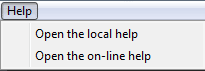
Help Menu
This menu allow you to open the local help file (installed with the software) or to access the online help system.
 My basket |
Checkout |
Add to email list
My basket |
Checkout |
Add to email list




 Edit
Edit History
 Print
Print Download (.HTML)
 PDF
PDF