How do I speed up the time that if takes to load data?
There are three ways to speed up the amount of time that it takes to load data:
1) Reduce the number of variables
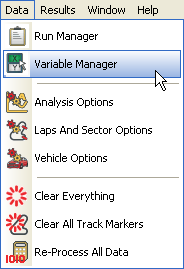
Enter the "Data" menu and select the "Variable Manager".
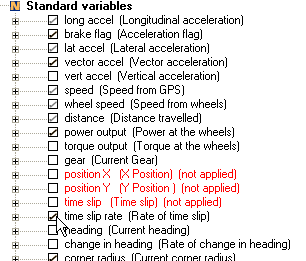
Now simply un-tick any of the variables that you do not need.
N.B. Only the variables that are marked with a black tick may be removed.
Once you are satisfied, press the "Apply" button in the bottom right hand corner of the window.
2) Set analysis options
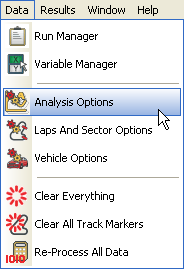
Enter the data menu and select the "Analysis Options".
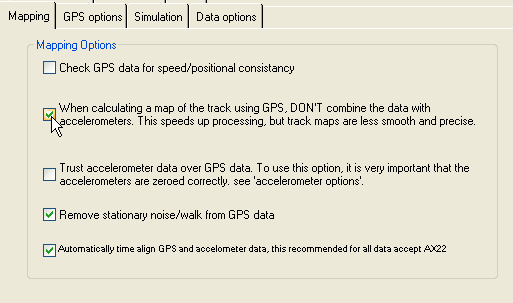
This will open up the following window. Tick second box to stop the data from the accelerometers from being used. N.B. This will speed up the load time, but at a cost of lowering the accuracy of the data. When you are happy, press "OK".
3) Reduce the length of the data
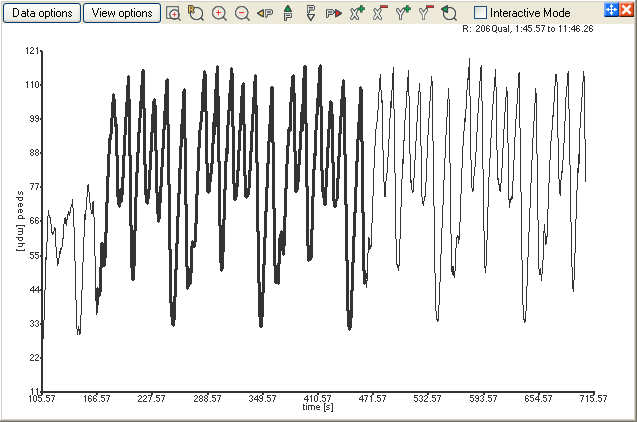
Open up an xy graph, and highlight the data that you wish to keep (i.e. the run itself, rather than, for example, any time spent in the pits with the logger turned on).
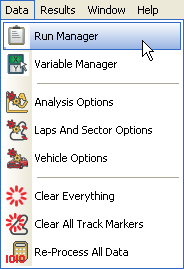
Now enter the data menu and select the "Run Manager".
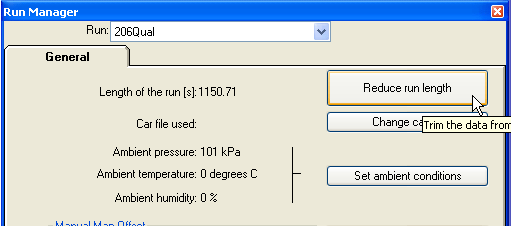
This will open up a window. Click on the "Reduce run length" button.
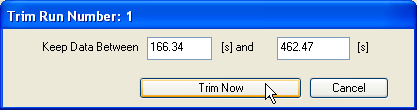
You will now be given the option to keep the data that you have highlighted. If you are satisfied with this, press "Trim Now". The length of the run will then be reduced.
 My basket |
Checkout |
Add to email list
My basket |
Checkout |
Add to email list




 Edit
Edit History
 Print
Print Download (.HTML)
 PDF
PDF