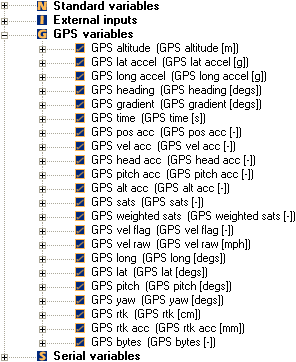
Variables Pane
The variables pane displays, in the form of a tree view, all of the variables that can be assigned to a control.
All of the variables are categorized in to the following groups:
- Standard variables
- External inputs
- GPS variables
- Serial variables
The top level of the tree is occupied by the above category names, whilst the next level lists all of the available variables. By navigating the tree, you can select the variable that you require.
Once a control has been added to the design area, you may associate a variable with it. You can do this by dragging the required variable from the tree view and dropping it into the body of the control.
 My basket |
Checkout |
Add to email list
My basket |
Checkout |
Add to email list




 Edit
Edit History
 Print
Print Download (.HTML)
 PDF
PDF