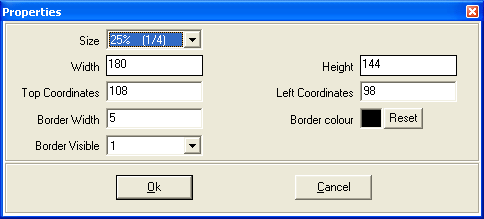
Video source properties form
The form contains the following;
- Size Ratio (combo box) – This gives the size of the PIP video as a ratio of screen size. It contains the following ratios;
12.5% (1/8)
- Width (textbox) – This is the width of PIP video
- Height (textbox) – This is the height of PIP video
- Top coordinates (textbox) – These are the coordinates of the top border of the control
- Left coordinates (textbox) – These are the coordinates of the left border of the control
- Border width (textbox) – This is the width of the video boarder in twips
- Border colour – This selects the colour of the border
- Border visible (combo box) – This contains the following values:
Border is invisible
 My basket |
Checkout |
Add to email list
My basket |
Checkout |
Add to email list




 Edit
Edit History
 Print
Print Download (.HTML)
 PDF
PDF